A Building Interface You Can Try
Lighting, climate, energy and alarms on one screen, the reports management actually reads, and a command view for multi-floor sites.
Our Specialism
We Specialise in KNX Projects Under RM100,000
Nobody in Malaysia has delivered more. 388 of our 524 systems were contracted below RM100,000, in homes, offices, factories and campuses, with the same topology discipline, documentation and witnessed handover as our largest jobs.
- Projects Under RM100k
- 388
- Share of Our Record
- 74%
- Median Contract
- RM38,400
- Complete Systems From
- RM15,000
- Residential RM24,600 Double-storey terrace, whole home, Setia Alam
- Commercial RM58,300 Shoplot café, trading through the install, George Town
- Industrial RM78,500 22-aisle warehouse zoning, Port Klang
- Higher Education RM62,800 Two 300-seat lecture theatres, Bangi
Try It Yourself
Every System in a KNX Building, on One Screen
Thirteen systems across four buildings. Pick a building, then a system. Dim the lights, change their colour, close the blinds, arm the alarm, open the gate or press SOS, and watch the room respond. The strip underneath shows the messages the KNX bus would carry, exactly as an engineer sees them in ETS.


- Lighting: Scenes, dimming, tunable white and RGB colour, presence and daylight control.
- Shading: Blinds, slat angle, curtains, sun tracking, wind and rain protection.
- Climate: Air-conditioning mode, setpoint, fan speed, window interlock and schedules.
- Ventilation: Fresh air, CO2 and PM2.5, demand control, ceiling and exhaust fans.
- Access: Door locks, face, card and PIN entry, visitor intercom and one-time codes.
- Security: Arm modes, perimeter, door and window contacts, glass break and duress.
- Safety: Smoke, gas, water leak and CO detection with automatic shut-off valves.
- Surveillance: Camera views, recording, motion zones and privacy mode.
- Entertainment: Multi-room audio, TV and projector, cinema scene.
- Doors, Windows, Gates: Motorised gate, garage, sliding doors, windows, skylight and awning.
- Energy: Solar, battery, EV charging, metering and maximum demand control.
- Outdoor: Irrigation zones, garden lighting, pool pump and rain sensor.
- SOS and GPS: SOS alarm, fall alert, family locator and geofenced arrival.
Sample data in your browser. Nothing here connects to a real building. Lighting, shading, climate, safety interlocks and scenes run on the bus itself, so they keep working with the internet down; cameras, phone access and GPS arrival use the IP side of the same system.
See Exactly What You Will Be Handed
A working mock-up of the KNX supervision interface we deliver. Click the controls - they respond like the real dashboard your team uses daily.
Menara Demo · KNX Supervision
B1-L20 · {{ clock }}
ACTIVE LOADS
{{ activeLoads }}
POWER NOW
{{ powerNow }} kW
AVG TEMP
{{ avgTemp }}°C
OPEN FAULTS
{{ openFaults }}
FLOORS - TAP TO TOGGLE OCCUPANCY
{{ z.name }}
GA {{ z.ga }}
{{ h.zone }}
{{ h.mode }}{{ h.set.toFixed(1) }}°
now {{ h.cur.toFixed(1) }}°C
TODAY · CONSUMPTION
{{ energyTotal }} kWh
VS YESTERDAY
−8.4%
HVAC
58%
LIGHTING
27%
OTHER
15%
{{ a.msg }}
{{ a.loc }} · {{ a.time }}
// With a maintenance contract, faults route to us automatically.
TIME SCHEDULES - TAP TO ENABLE
{{ s.name }}
{{ s.time }} · {{ s.days }}
From Building Data to Management Decisions
KNX does not only switch things on and off - it generates operational data. Our visualisation & energy servers turn that data into dashboards, reports and insights your management can act on. Try the interactive analytics console below.
Building Intelligence Console
Portfolio analytics · demo data
ENERGY COST
RM {{ kpi.cost.toLocaleString() }}
{{ kpi.costDelta }}% vs prev
ENERGY SAVED
{{ kpi.saved }}%
vs pre-KNX baseline
SYSTEM UPTIME
{{ kpi.uptime }}%
bus availability
WORK ORDERS
{{ kpi.wo }}
{{ kpi.woOpen }} open
AVG OCCUPANCY
{{ kpi.occ }}%
across floors
Energy {{ metric==='cost'?'cost (RM)':'consumption (kWh)' }} - {{ range }}
Consumption by system
- HVAC {{ split.hvac }}%
- Lighting {{ split.light }}%
- Other {{ split.other }}%
AUTO-INSIGHT
{{ insight }}
Maintenance work orders
exportable · CSV / PDF// Reports support operations, tenant cost allocation, energy compliance and capital-replacement decisions.
Operational Reporting
Automated daily/monthly reports - energy, faults, run-hours and tenant sub-metering - emailed or exported to CSV/PDF.
Decision Insights
Trend and anomaly detection flags drifting equipment and waste before it shows up on the bill or as a breakdown.
Big-Data Ready
Historical logging and open APIs (BACnet/Modbus/IP/REST) feed your BI tools, dashboards and ESG/energy compliance reporting.
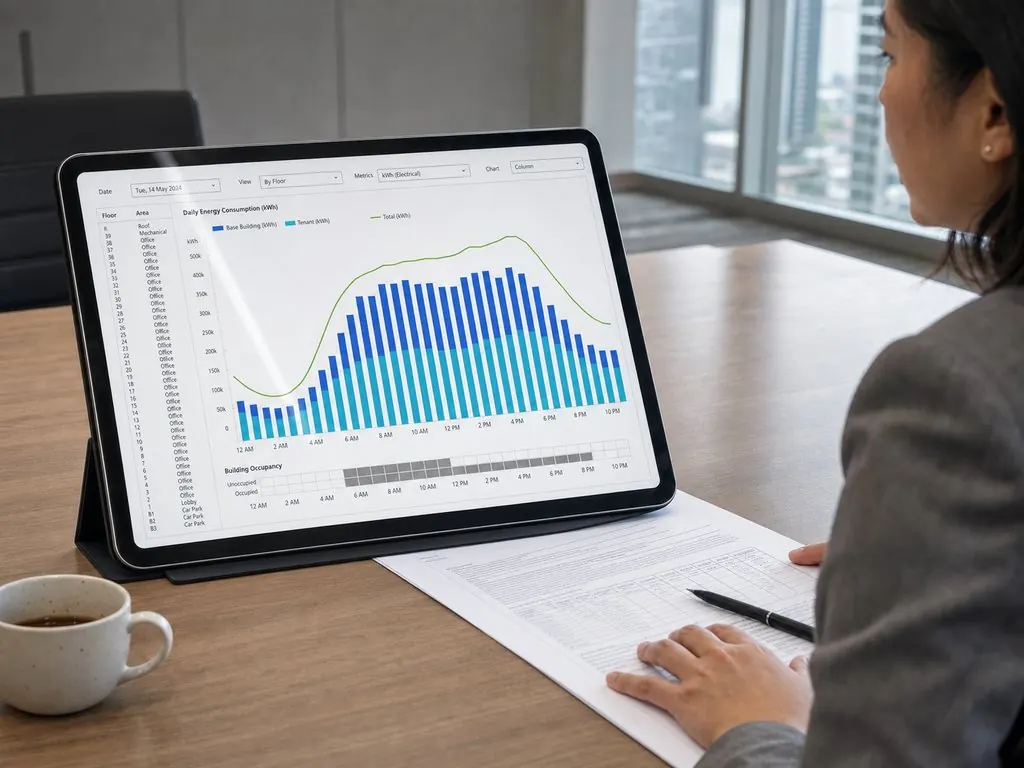
Reports that survive a management meeting.
Energy, faults, run hours and tenant sub-metering, exported to CSV or PDF on a schedule.
Run the Building Like a Command Deck
A concept operator interface built on the same live KNX data as the panel above: system gauges, a floor stack, the bus telegram stream and a command bar. Every control here is interactive, and we can build a supervision front end in this style or in a plain light theme.
KNX·OS CORE
menara-demo // bus online // {{ clock }}
// SYSTEM REACTORS
{{ Math.round(hud.busLoad) }}
BUS%
{{ Math.round(hud.power) }}
kW
{{ Math.round(hud.comfort) }}
COMFORT
// HOLO-STACK · TAP A FLOOR
selected → {{ hud.floor }} · {{ hud.reply.length>0?'cmd ready':'' }}
// BUS TELEGRAM STREAM
// ENERGY POWER CORE
{{ Math.round(hud.power) }}
kW NOW
// real-time load distribution across sources & major loads
// ZONE RADAR · OCCUPANCY
ASSISTANT
{{ hud.reply }}
// Illustrative concept UI. We can deliver dashboards in this style or a clean light theme - your call.
Questions We Are Asked About This
Is the live demo the same interface a client actually gets?
Can I control and monitor the building from my phone when I am away?
Is KNX difficult to use if I am not tech-savvy?
Can the system give me analytics and reports for management decisions?
Can I control KNX with Siri / Apple HomeKit?
Book a Design Review
Send the drawings, the problem, or just the building type. Peter replies with the right next step: a design-stage review, a site survey, a diagnostic call-out or a scoped quotation. Response within one working day.
Talk to the Engineer Directly
Peter Teh (Teh Hon Kee)
Lead KNX Integrator
Phone / WhatsApp
+6016-531 3713Based in
Kuala Lumpur · serving all Malaysia
Hours
Mon-Fri 9:00-18:00 · Sat 10:00-15:00
24/7 emergency cover on Gold contracts
Send Your Enquiry
Free Consultation
No-obligation site visit & quote within the Klang Valley.
Quick Response
We typically respond within 2-4 hours in business hours.
Detailed Quote
Itemised quotation with device specs within 3-5 days.
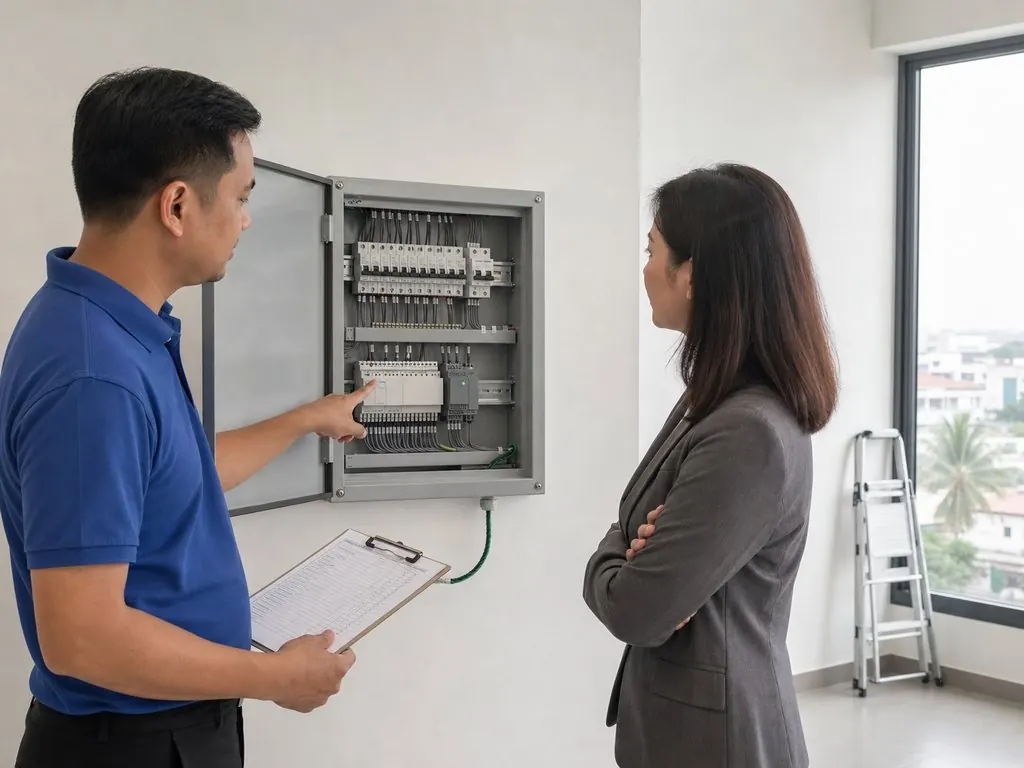
A design review costs you nothing and usually saves a redesign.
Bring drawings, a photo of the panel, or just the building type.